Infinity Release 5.0.0 can export Conventional and GNSS data to STAR*NET format.
This export solution offers capabilities that differ from the STAR*LeicaDBX converter and provides an alternate workflow:
- Station IDs, Target heights etc. can be edited in Infinity before export
- Direction sets created from sets of angles will be merged into a single direction set for each occupation to better model the network and to reduce how often incomplete sets of angles can affect your results.
- Sets of angles "Training shots" will be included as input and grouped so they can be disabled if required.
- Tilt corrected RTK GNSS can be exported directly to STAR*NET
- Post Processed GNSS can be exported
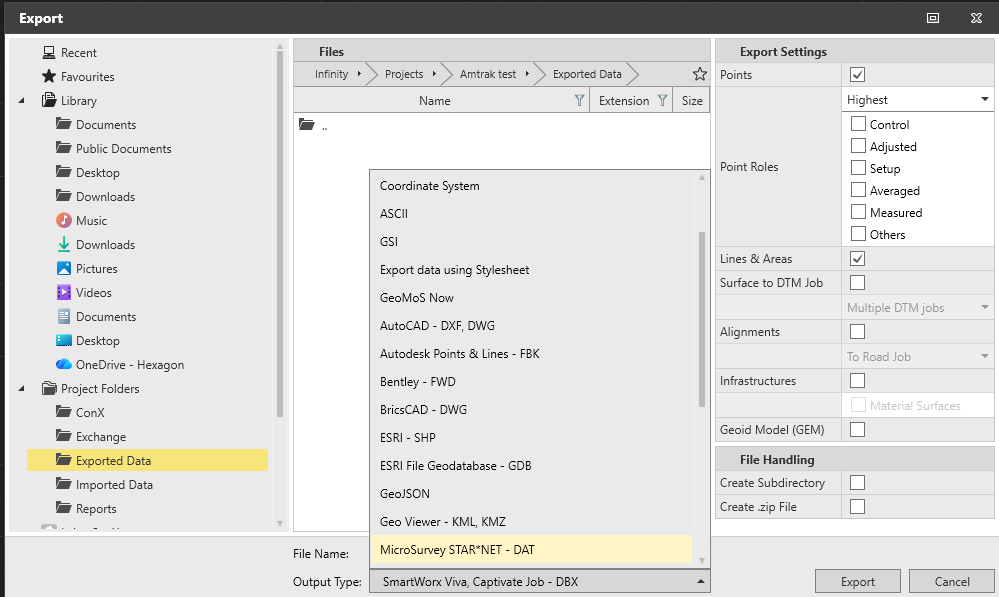
The STAR*NET Export Option is available in the Exported Data dialog:
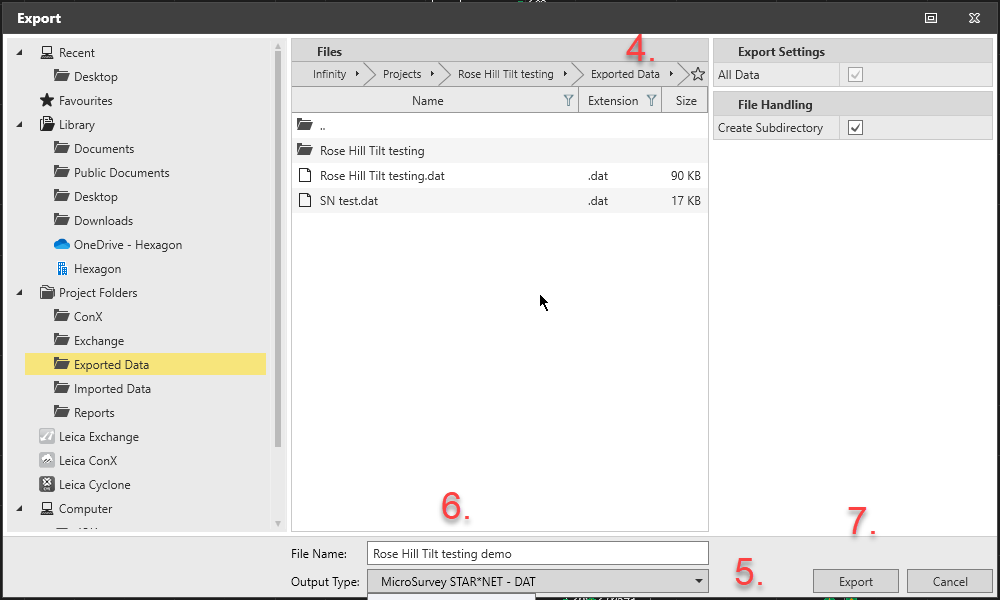
Using the new Export Option:
- Launch Infinity
- Open the project with data you'd like to export to STAR*NET
- Export
- Set your export folder and options
- Select Output type "MicroSurvey STAR*NET DAT"
- Enter a File Name
- Export
- Use Windows File Explorer to open the folder set in step 4 and copy your dat file to the location of your STAR*NET project
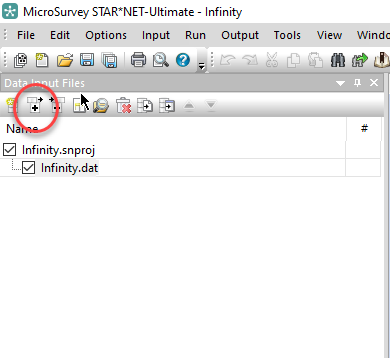
The dat file can now be added to a STAR*NET Project using the "+" icon in the input panel:
James Johnston
Comments
James Johnston
Staff –
Thanks for asking about this. The gsi format doesn't provide enough information to populate occupation records, so they must be booked manually and manually entered in STAR*NET. You can use this online tool to work with the GSI format:
GSI to STAR*NET Converter
With the TS07 we recommend instead exporting a degrees format xml file and using this online tool:
XML to STARNET
Panagiotis Mourtzinis
Hello,
I own Infinity 5 and i have the following issue.
When i import to Infinity a Landxml file from my TS07 total station, i can export to a .dat file my conventional measurements.
But when i import to Infinity the same measurements as a GSI file from my total station, i can' t export them to a .dat file.
I am i doing something wrong, or Infinity can't convert leica GSI measurement files to Starnet .dat format?