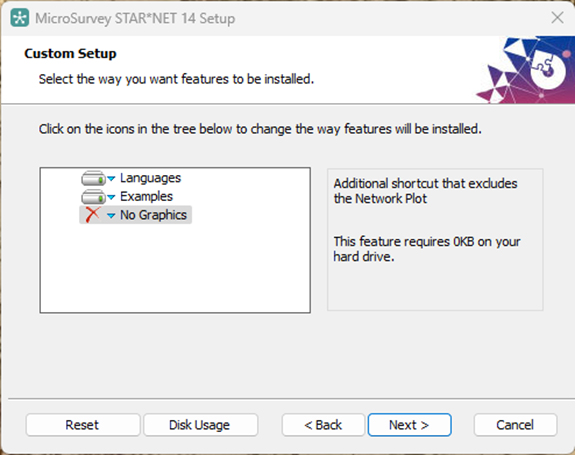
As of STAR*NET 14, users can launch STAR*NET without the Network Plot to bypass any graphics requirements. This option is particularly useful for those on a virtual machine or remote server setup, as it eliminates display-related hardware requirements. No Graphics mode is enabled via custom installation, and requires no extra room on the hard drive.
Installation
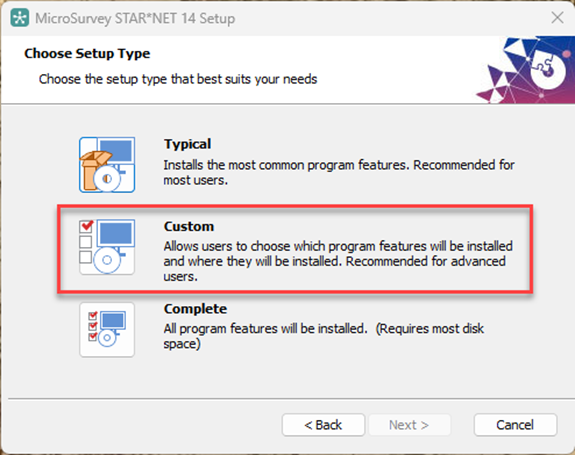
During installation, choose the Custom setup type, and select No Graphics on the following screen.
After installation is complete, two icons will appear on the desktop:
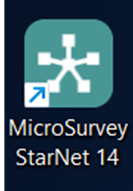 |
The teal icon launches traditional STAR*NET, which includes the Network Plot. Properties | Shortcut | Target: "C:\Program Files\MicroSurvey\StarNet 14\StarNet.exe" |
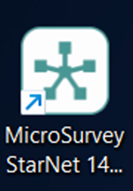 |
The white icon launches No Graphics mode, which runs without a Network Plot. Properties | Shortcut | Target: "C:\Program Files\MicroSurvey\StarNet 14\StarNet.exe /NoGraphics" |
No Graphics mode enhances the functionality with STAR*NET Ultimate when it is run from the command line or with very large projects.
FULTON Kiera
Comments