MicroSurvey Line and Curve Labelling Defaults
-
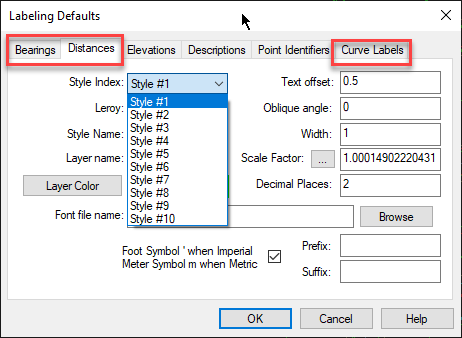
MicroSurvey allows you to define 10 unique styles that apply when labeling Bearings, Distances and Curves. Font, layer, color, label formatting, precision and Grid to Ground scale factor can be specified.
-
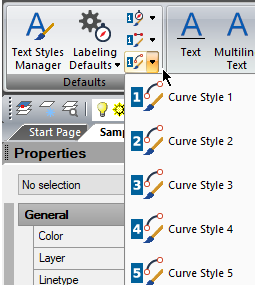
Switch easily between styles using the style selector in the Defaults panel in the MsAnnotate ribbon:
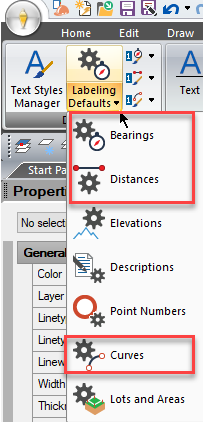
Configure "Bearing, Distance and Curve Style Labeling Defaults" in the MsAnnotate Menu
These allow you to define 10 separate styles for bearing, distance and curve labels.
Update your drawing after changing these settings by deleting and recreating the label.
See this article for details of how to manage Elevation, Description and Point Identifier styles.
Strategies for Importing/Exporting these settings after configuring as desired:
- use the MicroSurvey Settings Migration Wizard
- Or:
- Configure the labeling styles as desired
- Open the following folder:
C:\Users\"user"\AppData\Roaming\MicroSurvey\MSCAD\20XX.X
3. Copy the file "config.json" and paste into the corresponding location on another work station.
James Johnston
Comments