Some users may come across the following error, as well as just hard crashing, when trying to launch our products after a Windows update in early 2026.
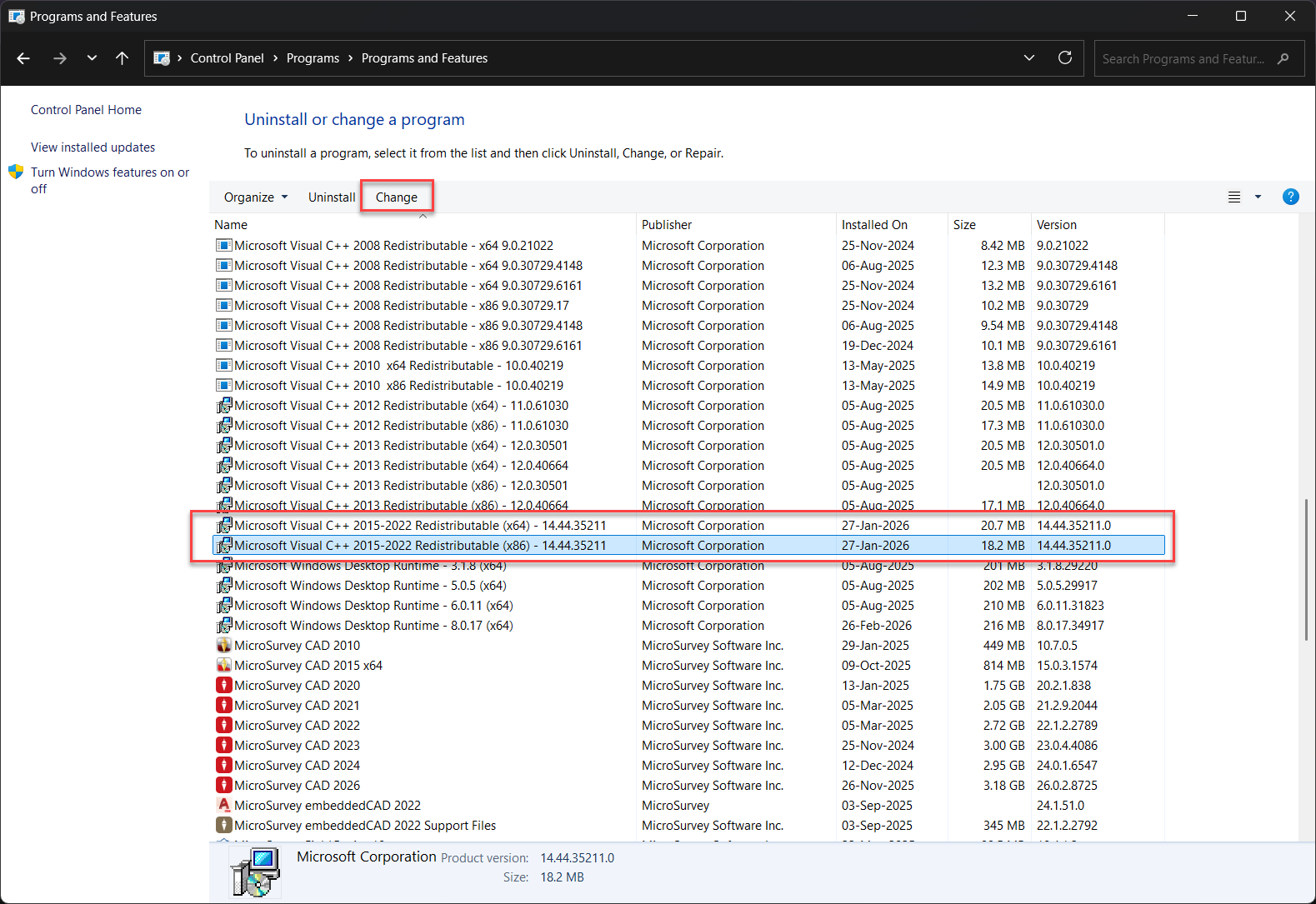
This appears to be related to a corruption of the Microsoft Visual C++ Redistributable files after that update. In order to fix this, you will need to repair those latest Redistributables affected by the update, which are mainly the 2015-2022 and/or 2022. Take note of the date modified, as it should be the ones with the latest date, or around early 2026.
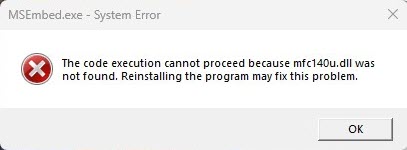
You can repair them via the Control Panel:
- Control Panel
- Uninstall a program
- Microsoft Visual C++Redistributable installations (should be 2015-2022 or just 2022)
- Highlight it
- Select Change at the top of the control panel
- Select Repair on the uninstaller dialog
- Restart your PC once it is done
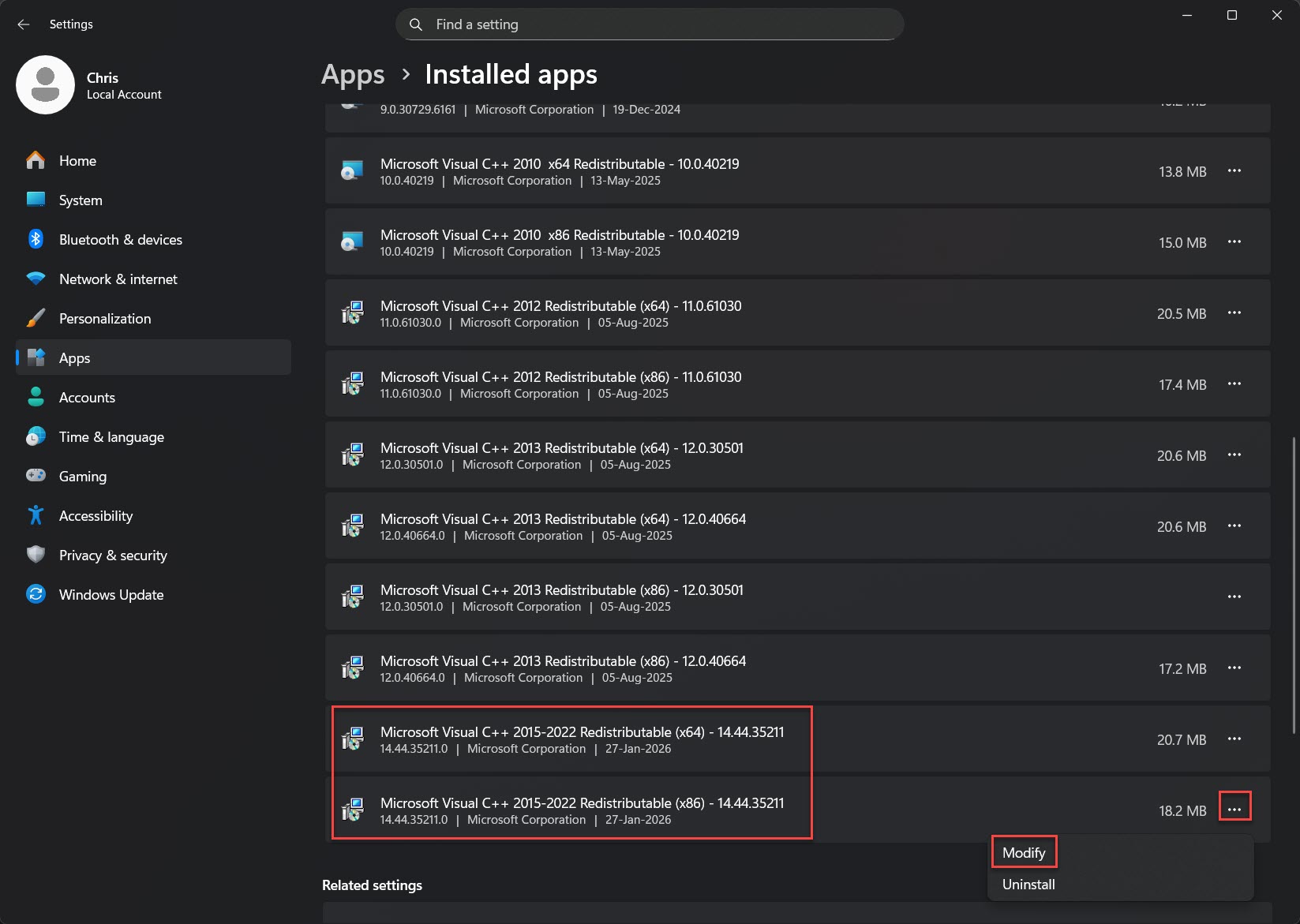
Or via the Settings:
- Settings
- Apps
- Installed Apps
- Microsoft Visual C++Redistributable installations (should be 2015-2022 or just 2022)
- Select the (...) button
- Modify
- Select Repair on the uninstaller dialog
- Restart your PC once it is done
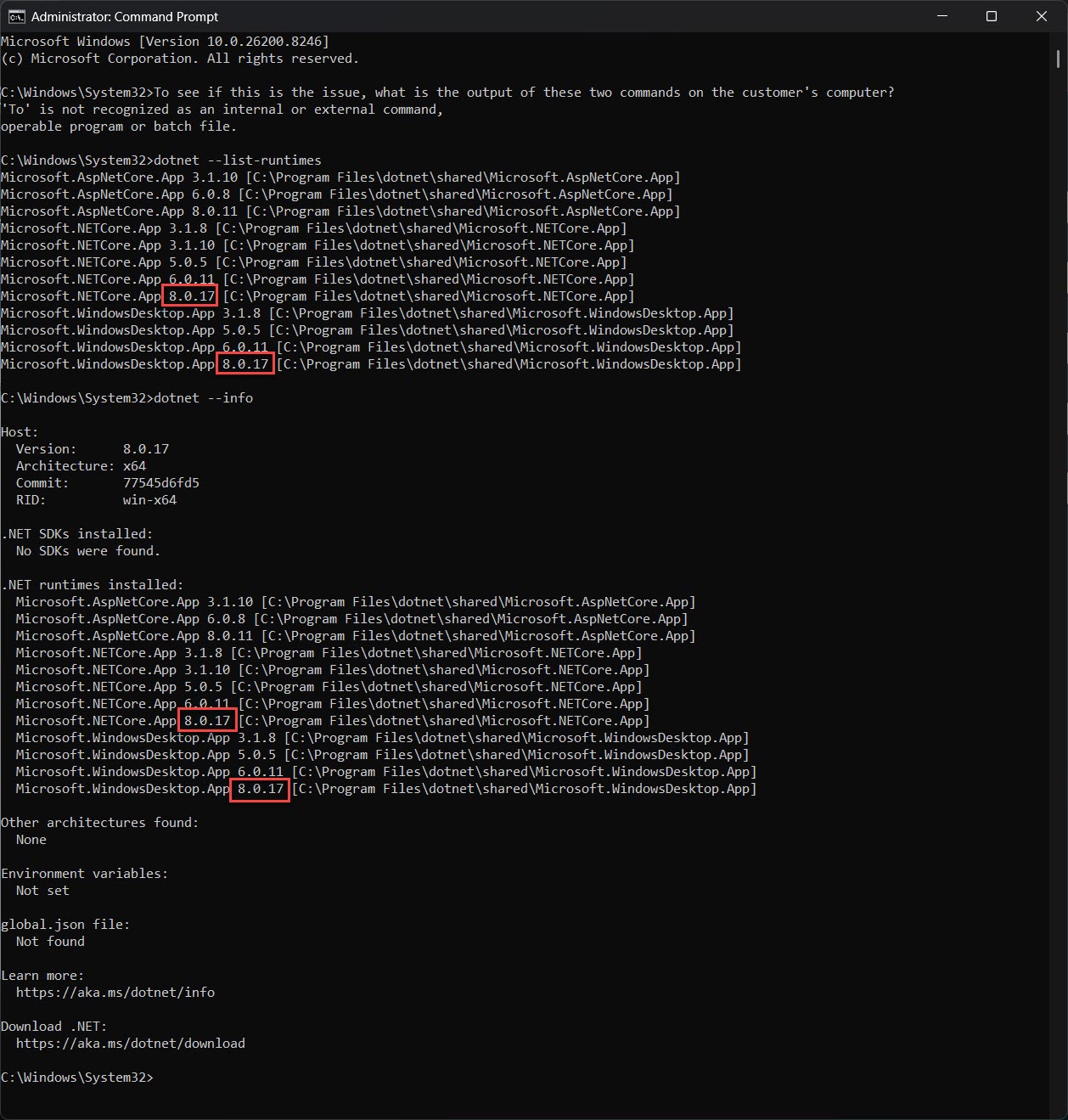
If the above repair still fails, there is a .NET version you can check:
- Run the CMD application as administrator on your computer
- Type in the command: dotnet --list-runtimes
- Press Enter
- Type in the command: dotnet --info
- Press Enter
In both commands, you may see several .NET entries. Check that the one for version 8.0.17 is on your device. We've seen some computers where after installing our program, this version of .NET was not installed. You may need to download and install it from Microsoft directly or work with your IT on seeing why it was blocked.
Chris Clemente
Comments