This article series will go over all the details needed for you to learn how to use and manage your licenses, all in one place. You can skip ahead to any other section from the links below as needed:
| Account Creation | Account Login | License Portal | Downloads |
| Licenses & Activations | Renewals & Upgrades | Product Registration | Adding new Licenses |
| Desktop Licenses | FieldGenius Licenses |
Renewals & Upgrades
This is where you can view any licenses eligible for upgrading. Currently it is not used for renewing licenses, as that should be done by reaching out to our Sales team or purchasing CCP from our Online Store.
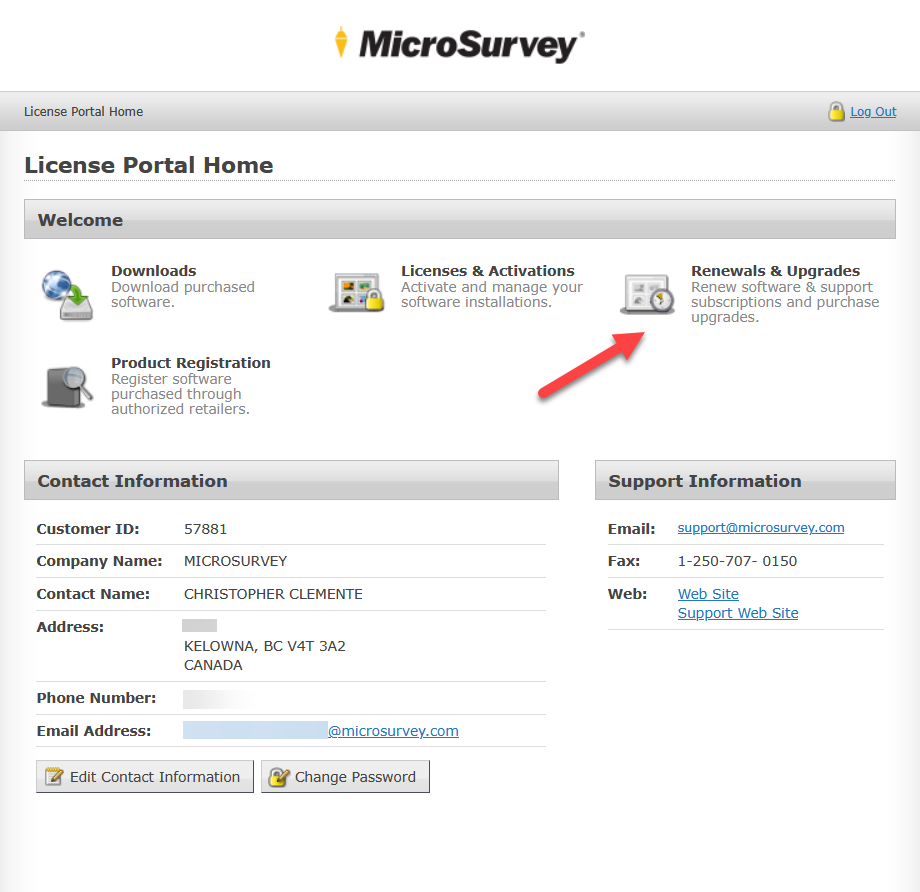
OEM License Upgrade (45-Day License)
For upgrades, the only option available currently will be for our licenses purchased through OEM dealers. In such cases, you will see a 45-Day license, similar to the one shown below:
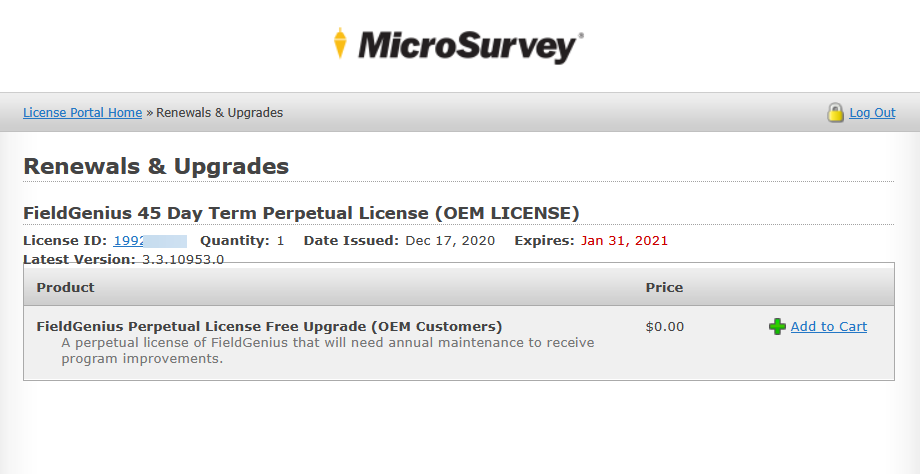
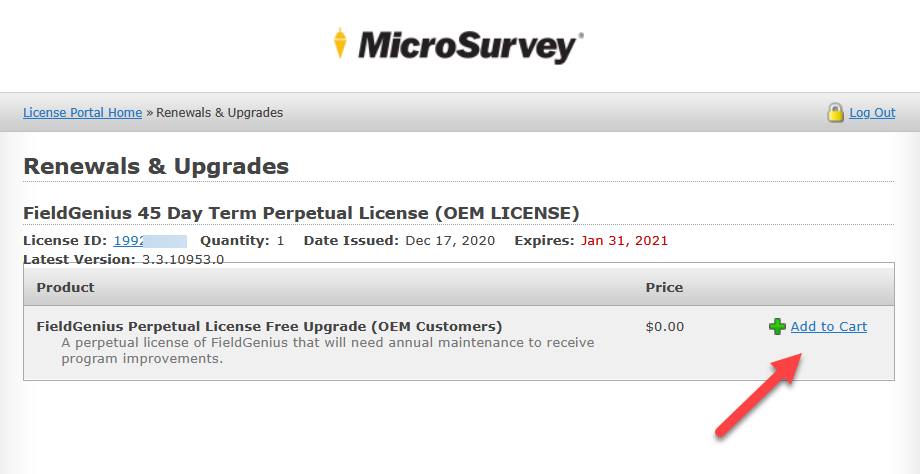
In order to upgrade these licenses into standalone Perpetual licenses, follow the steps below:
- Add to Cart
- Checkout
- Continue
- Place Order
- Customer Page
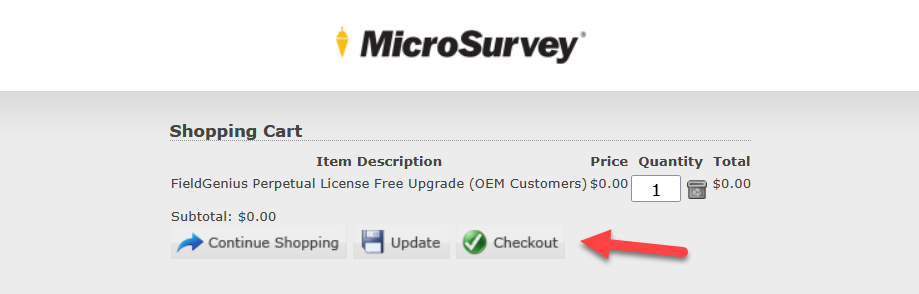
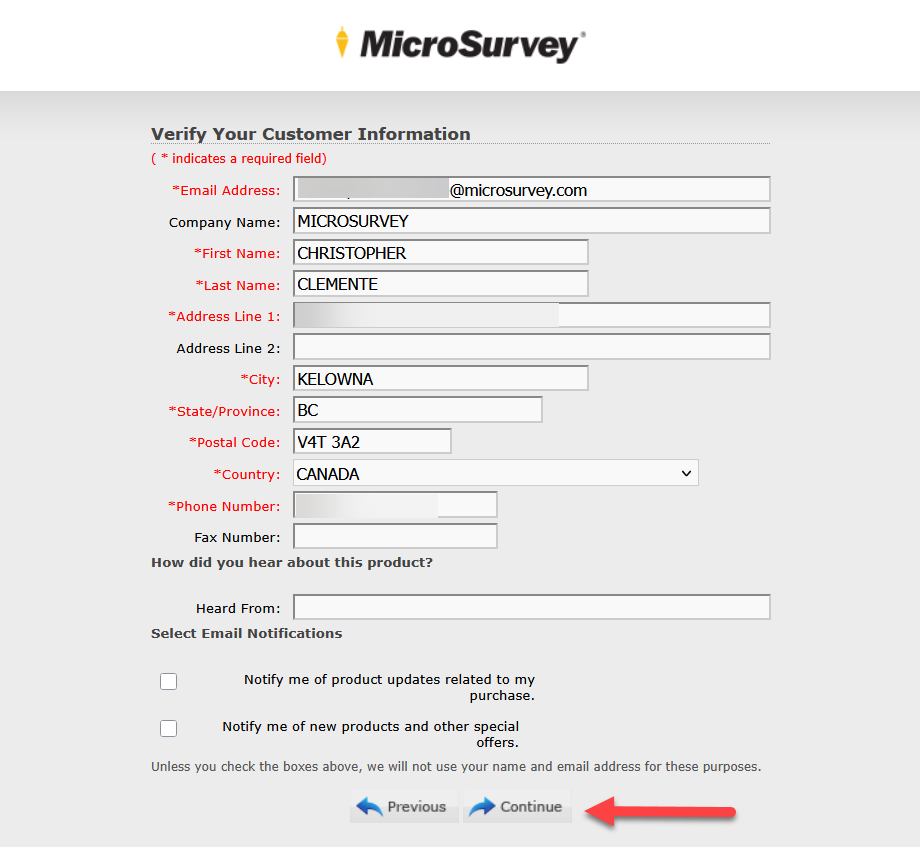
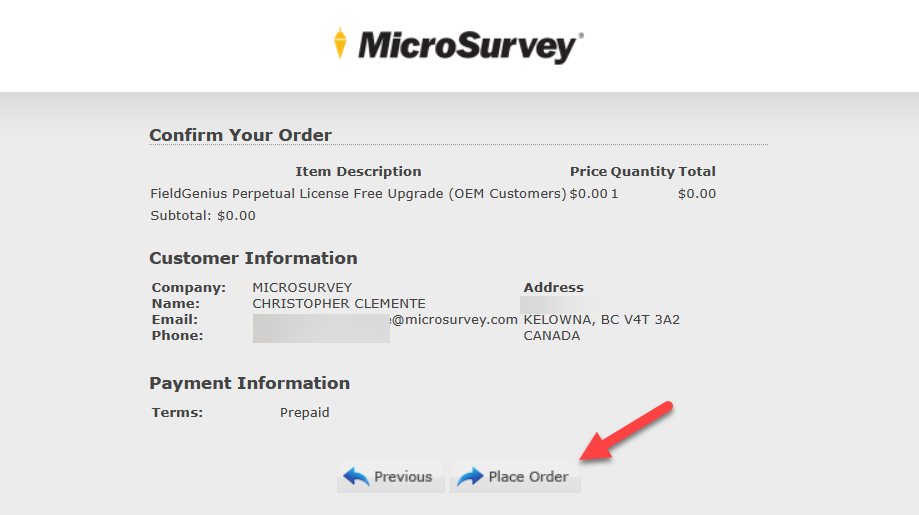
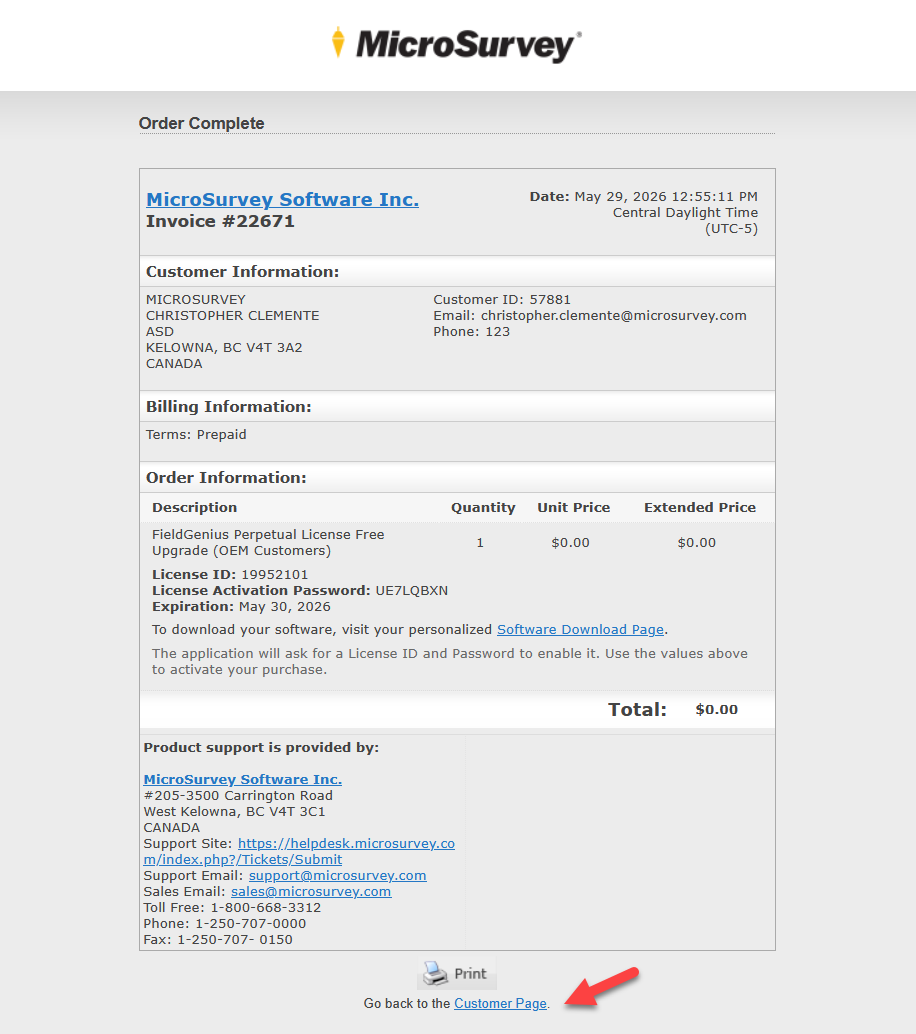
Once completed, you will now see a new license under your Licenses & Activations section.
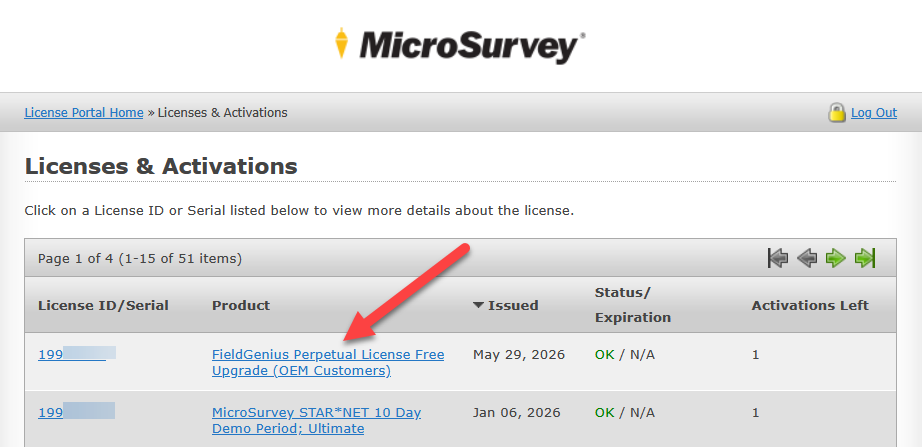
Below are a couple of guides that go over the same process:
Transferring a Dealer or OEM Desktop License to a new account
Transferring a Dealer or OEM FieldGenius License to a new account
Chris Clemente
Comments